Citron app icon

Convert & compress files
by dragging them.

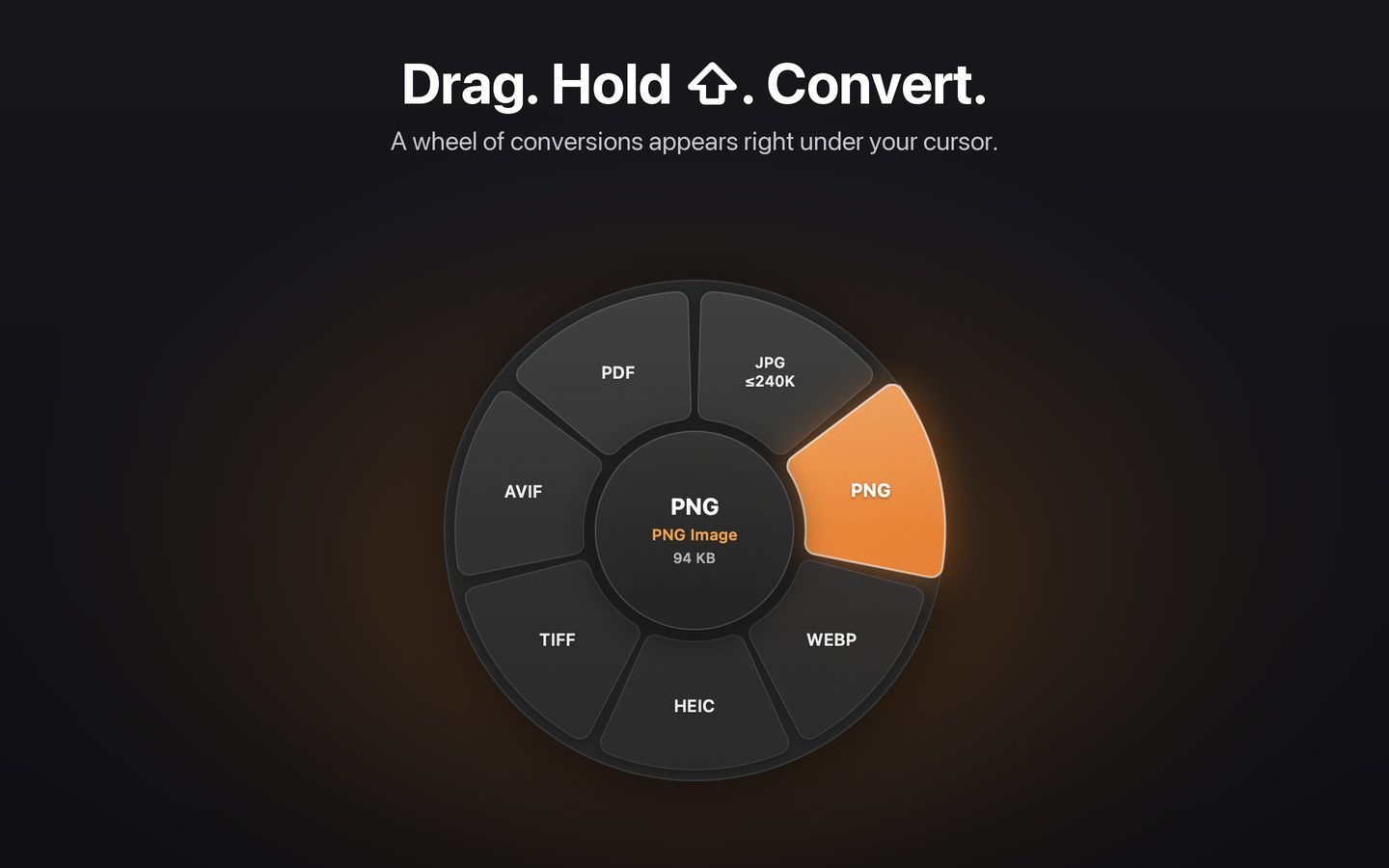
Hold a key while dragging any file in Finder and a wheel of conversions and tools appears right under your cursor. Drop it on a slice. Done.

Download on the Mac App Store Free to try · 50 actions free · macOS 14 or later · Apple silicon Citron's conversion wheel appearing under the cursor
One gesture. No windows to open.

Citron lives in your menu bar and stays out of the way until you need it.

1. Drag a fileAny image, PDF, document, audio or video file in Finder.
2. Hold a key⇧ conversions, ⌘ tools, ⌃ quick actions. You can change the keys.
3. Drop on a sliceThe result is saved right next to the original file.

Everything you do to files, in one place.

Every conversion and edit happens on your Mac. Nothing is uploaded.

Convert

  • JPG, PNG, WebP, HEIC, TIFF, AVIF, PDF
  • PDF to images, Word, text, HTML, Markdown
  • Word, text, Markdown, HTML ↔ PDF
  • Video to MP4, MOV, GIF, MP3, M4A, WAV
  • Audio to M4A, WAV, MP3, AIFF, FLAC

Compress

  • Images, PDFs, video, audio and documents
  • By preset, exact target size or percentage
  • "JPG under 240 KB" for upload forms

Edit

  • Crop, rotate, adjust brightness and colour
  • Annotate with pen, arrows, boxes and text
  • Redact: blur faces or black out areas
  • Remove image backgrounds

PDF & privacy

  • Merge, split and pick pages
  • Text recognition for scanned PDFs
  • Remove hidden metadata like GPS location
  • AirDrop, copy path, open in Terminal

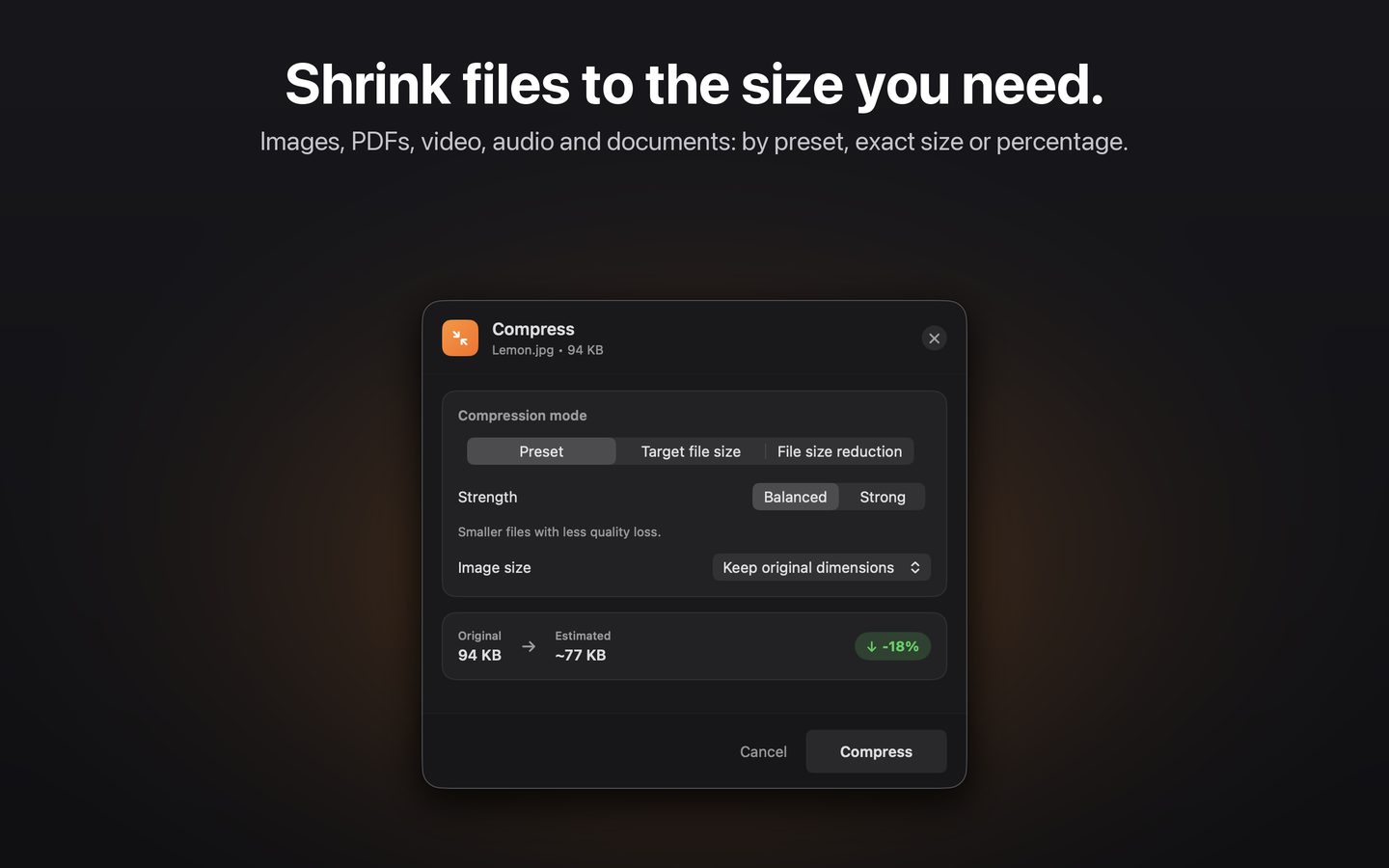
Shrink files to exactly the size you need.

Pick a preset, type a target size, or choose how much smaller. Citron shows the estimated result before you compress.

Citron's compression window
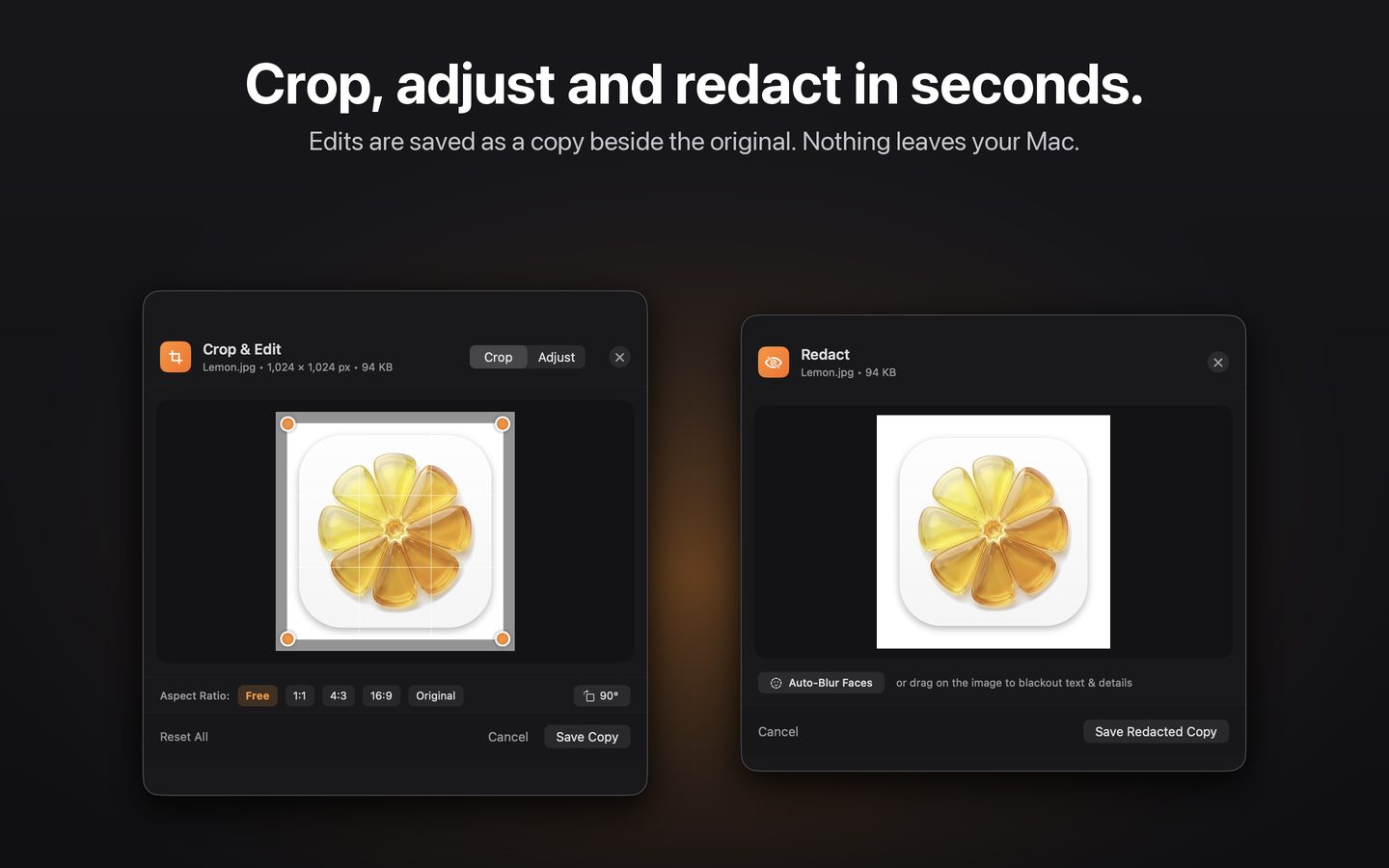
Crop and redact editors

Quick edits without opening an editor.

Crop, adjust, annotate and redact in a small window. Edits are saved as a copy, so your original is never changed.

Try it free. Pay once.

Your first 50 actions are free. After that, unlock Citron forever with a single purchase. No subscription, no account, no tracking.

Lifetime Access
One-time
Works on all your Macs with the same Apple Account
Get Citron